
Apply and Register
Apply and Register for Online Classes
Important NoteThe application and registration process for online classes is the SAME as that for "in-person" classes. First, you must apply for admission if you have not already done so, clear a prerequisite,
if needed, then register for classes. |
Steps to apply and register
After you apply you must wait until your application has been processed before you can register for classes.
The wait is usually about a day during registration.
Visit the Foothill website for important dates. After you receive your Student ID:
- Contact Counseling - Academic advising help
- Clear prerequisites - Before you register for a class make sure to clear any prerequisites that it may have
- Financial Aid - Learn more at the Foothill website
- Online Degrees & Certificates - Browse fully online degrees and certificates
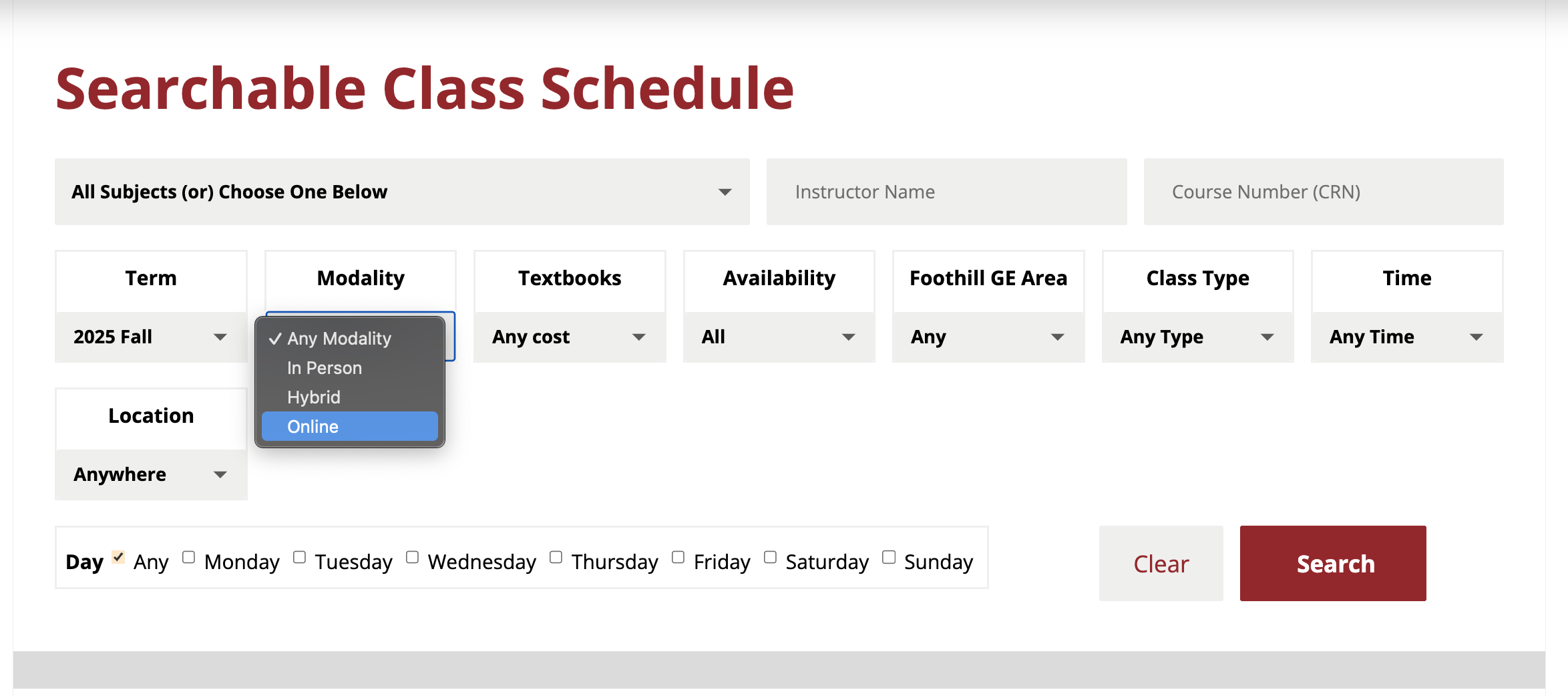
- Search the Class Schedule. To find online courses make sure "Online" is selected in the Modality menu. Enter any additional information and then select "Search".
- For detailed information about the course select "View Course Description" located at the top under the name of the course.
- Log in using your 8-digit, Student (College Wide) ID or CWID. You'll use a temporary password to log in the first time. To be prepared, see the First-time Login Guide available on the MyPortal login page for more information. If you do not have access to the Internet, you may update your mailing and email addresses at the Admissions and Records office.
- Does your course have prerequisites? Find out how to clear prerequisites
- Registration Process - Learn step-by-step how to register for a course, how to get on the waitlist, and how to request an add code.
What are all the different kinds of online courses?
Here is a guide that might help you determine if a course section offered will fit your needs, but you should always reference any description provided for the specific course section listed.
| Online Course Guide | |
|---|---|
| Online (“W” - e.g., ACTG 76.01W) | A fully online asynchronous class where you work in your time and place to meet the instructor’s requirements. |
| Online Hybrid (“Z” - e.g., ACTG 76.01Z) | A combination of synchronous online live, with your class, during scheduled days and times, and asynchronous online where you work in your time and place to meet the instructor’s requirements. |
| Virtual (“V” - e.g., ACTG 76.01V) | Entirely synchronous online live with your class, during scheduled days and times. |
| Hybrid (“Y” - e.g., ACTG 76.01Y) | A combination of a face-to-face class, where you meet in person, at a designated location, during scheduled days and times, and asynchronous online where you work in your time and place to meet the instructor’s requirements. |
| Combined Virtual (“R” - e.g., ACTG 76.01R) | A combination of a face-to-face class, where you meet in person, at a designated location, during scheduled days and times, and synchronous online live with your class, during scheduled days and times. |
| All Format Hybrid (“T” - e.g., ACTG 76.01T) |
A combination of a face-to-face class, where you meet in person, at a designated location, during scheduled days and times; synchronous online live with your class, during scheduled days and times; and asynchronous online where you work in your time and place to meet the instructor’s requirements. |
| Fully On Campus (No “letter” identifier at the end of the course section - e.g., ACTG 76.01) | A fully face-to-face class, where you meet in person, at a designated location, during scheduled days and times. |
Contact the instructor for additional information.
Late RegistrationTo register for a course AFTER the quarter has started, you must request an Add Code. If you receive the error message that it is "not your day to register" when attempting to complete the late-registration process to add a course, it may
mean that you have not yet submitted an application for the quarter. If you did not
take classes the previous quarter, you are not considered a "continuing student."
Before you can add a course to your schedule, you must apply for admission to the college. |
FeesFor information on tuition and fees, see the page maintained by Foothill Admissions & Records: Explanation of Student Fees & Fee Schedule. The Student ID Card Fee, Student Representation Fee are not required and are voluntary.
The Campus Center Use Fee can be reduced to $10 for students who are only enrolled
in classes that meet off-campus (including fully online courses) and who live outside
of the district service area. Call the Cashier's Office to request to have these fees
waived and/or reduced: (650) 949-7331. |
Looking for more classes?
Check out the Online Course Exchange search tool provided by California Community Colleges.

Contact UsOnline Learning Officeonlinelearning@foothill.eduCanvas Help Hotline 24/7 833.300.3461 Check Canvas Status Admissions and Records 650.949.7325 |
