
Canvas Help
Canvas Help Menu
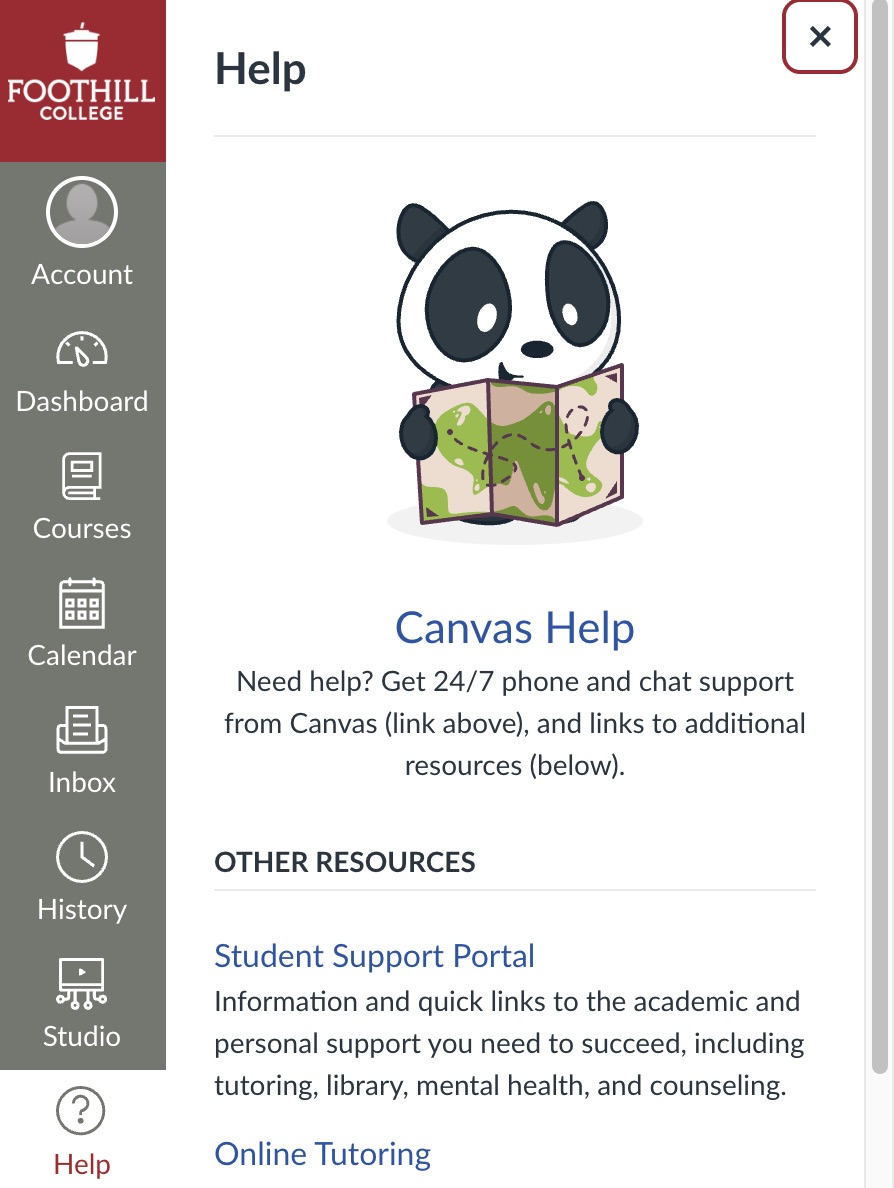
After selecting Help from the global navigation menu, a slide out menu will appear where you'll be able to:
- connect directly to the support team at Canvas,
- access the Student Support Portal,
- connect with a tutor or counselor online,
- access the Canvas guides,
- ask your instructor or librarian a question,
- get access to a Canvas Student Orientation.
Basic Troubleshooting
|
Canvas Guides
You can search all the Canvas guides by selecting the Search the Canvas Guides option from the slide out menu.
Connect with Canvas Help
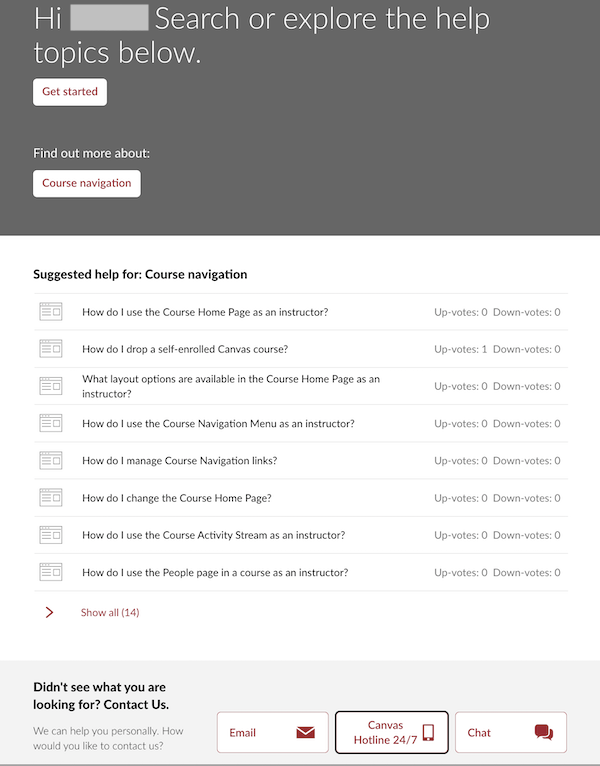
To connect with Canvas support, select the Canvas Help option from the Canvas Help slide out menu. A window will appear showing a list of Canvas guides that are relevant to the page you are on.
At the bottom, you'll find ways to contact Canvas by email, phone, or chat. If you're having a Canvas issue call the hotline to get help right away!
Canvas Help HotlineIn case you are not able to log into Canvas, the Canvas hotline numbers (24 hours every day) are listed below. |

Contact UsOnline Learning Officeonlinelearning@foothill.eduCanvas Help Hotline 24/7 833.300.3461 Check Canvas Status Admissions and Records 650.949.7325 |
