
MyPortal Security Guidelines
Browser Security When Using Your MyPortal Account
When logged into MyPortal, please be aware of the following scenarios to protect your information.
- If you close the MyPortal browser window or tab WITHOUT logging out, you will remain logged into MyPortal.
- When using a Shared or Public computer, make sure you QUIT the browser application when you are done using MyPortal. This will ensure you have logged out of your MyPortal account. Otherwise, the next person to use the computer will have access to your account unless you close the additional tabs and then log out on the original MyPortal tab.
- With the MyPortal Interface, some functions open a new Tab in the browser. See the examples below. You will want to close the additional tabs and THEN log out of the original MyPortal
home page.
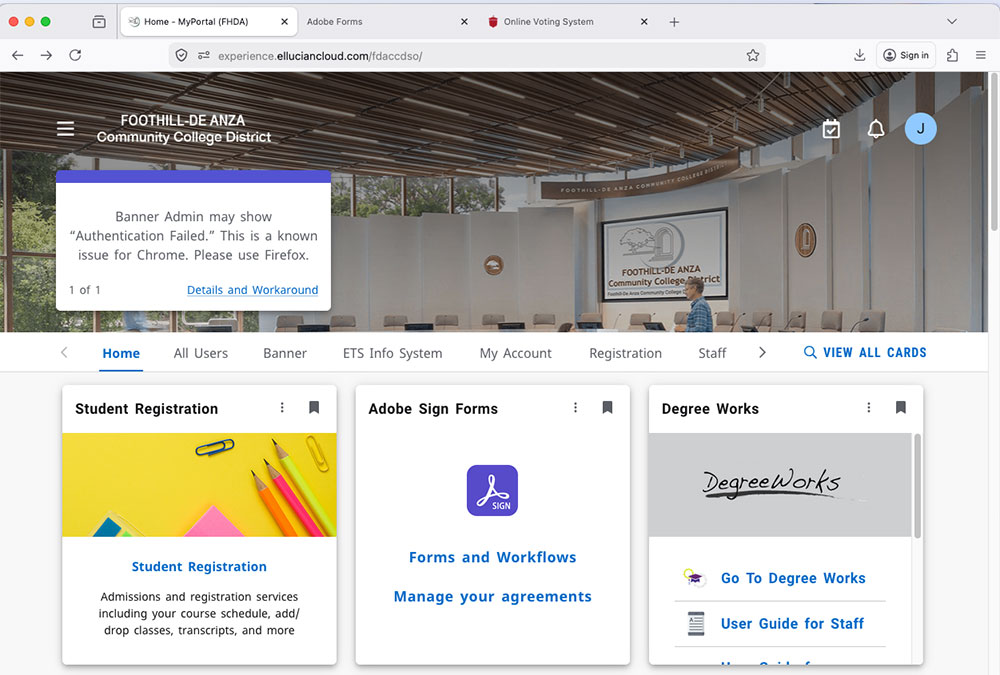
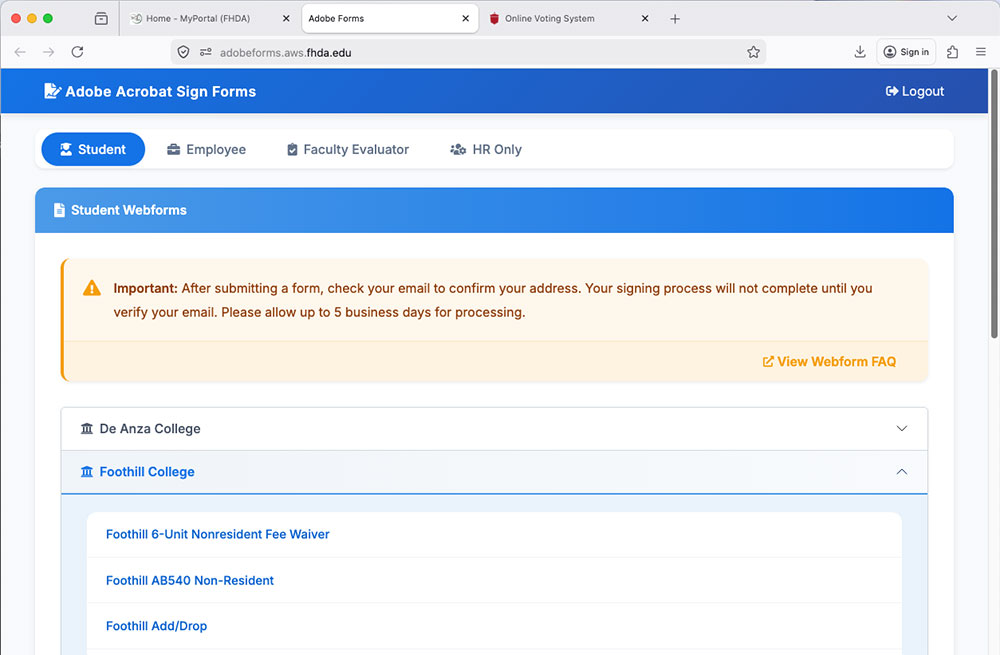 If you are using public or shared computer, the next person to use the computer will have access to your account unless you
close the additional tabs and then log out on the original MyPortal tab.
If you are using public or shared computer, the next person to use the computer will have access to your account unless you
close the additional tabs and then log out on the original MyPortal tab. - If your browser opens up a New Window instead of a new Tab as pictured above, be aware you must close those windows and return to the original MyPortal window and log out. If you are using public or shared computer, the next person to use the computer will have access to your account unless you close the additional windows and then log out on the original MyPortal window.

Contact UsAdmissions and RecordsStudent Services Building 8100,Room 8101 650.949.7325 admissions@foothill.edu A & R Help Form |
