Female student taking an online class on her computer.

Canvas Release Notes

Subscribe to get Canvas Release Notes

Canvas deploys a new release every few weeks. Each release includes bug fixes and enhancements; some of which have been requested and voted on by the Canvas community. For each release, notes are posted to the Product Release Notes forum in the Canvas Community. If you would like to be notified of these releases, you can subsribe to the Release Notes stream.

How to subscribe to receive Canvas Release Notes

  1. Go to the Canvas Community.
  2. If you are NOT already logged in to Canvas.
    • Click 'Log in' located in the upper-right corner.
    • You will be re-directed to the Foothill College log in webpage.
    • After you log in to Canvas, you will automatically be sent back to the Canvas Community.
  3. In the Canvas Community navigation located at the top of the page, click 'Answers'.
    Canvas Community Answers button
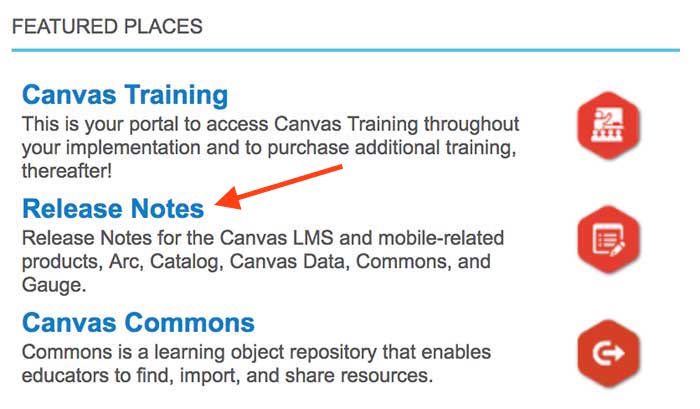
  4. In the Featured Places category, click on Canvas Release Notes.Screenshot showing featured places on canvas community
  5. Click 'Follow', located on the upper-right.Screenshot showing follow button on release notes in canvas community

You can subscribe to other forums in the same way. Select the forum and follow it.

Contact banner image

Contact Us

Online Learning Office

650.949.7446
onlinelearning@foothill.edu

Canvas Help Hotline 24/7
833.300.3461
Check Canvas Status

Admissions and Records
650.949.7325
Image Description

Keep Exploring

Love Your Learning at Foothill College.